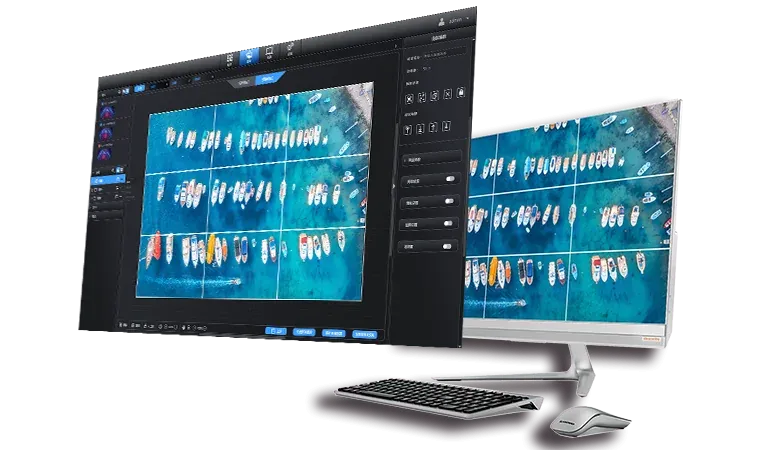
Stretching, black bars, and visible seams are three different symptoms. Stretching changes geometry, black bars expose a mismatch between source and destination proportions, and seam errors reveal incorrect region boundaries or timing. Treating all three with a larger scale setting usually hides the cause and can damage another part of the image.
A video wall splicer corrects these faults only when source format, canvas raster, window geometry, and synchronization are defined separately. Troubleshooting should begin with a labeled test pattern rather than with content whose edges are difficult to judge.
Restore the Source-to-Canvas Geometry
The source has a width, height, and aspect ratio; the wall has its own native raster. A video wall splicer needs an explicit rule for how one relates to the other. Bars remain when the complete source is retained inside a destination with different proportions.
Fill removes bars but distorts the picture if proportions differ. Crop preserves shape while discarding content. A designed window can preserve both geometry and context by placing the source within a larger composition. Black bars are not automatically an error: they may preserve the source aspect ratio intentionally.
The diagnosis begins by comparing the approved presentation rule with the observed image. Only then can scaling, cropping, or canvas coordinates be changed without replacing a deliberate letterbox treatment with unwanted distortion.
A reference image should accompany the recorded presentation rule. Circles should remain circular, square grids should remain square, and edge labels should remain visible. These simple checks identify distortion before color, motion, or creative content complicates the diagnosis.
Stabilize Format Negotiation with EDID
Black bars or unexpected resolution changes can begin before processing. A source reads EDID and chooses an output mode; an unstable or inappropriate EDID may cause it to fall back to a lower resolution or another refresh rate. The video wall splicer should present a planned source EDID, and the negotiated mode should be verified at the input rather than inferred from the image.
Cable path, adapters, source settings, and input-card limits belong in the same check. Once the approved mode is stable, saved scenes can rely on consistent source dimensions instead of compensating for a format that changes after a restart.
An EDID copy taken from one destination is not automatically appropriate for a multi-output canvas. The selected profile should represent the acquisition mode the processing system is designed to use, while downstream modes remain configured according to their own output regions.
Build Pixel-Accurate Windows and Output Regions
Seam faults often come from coordinates. Adjacent regions can overlap, leaving duplicated columns, or separate by a gap, losing pixels. A video wall splicer configuration should record the x and y origin, width, and height for every source window and output crop.
The sum of regions must reconstruct the intended canvas without hidden scaling between stages. Bezel compensation, physical gaps, or projector overlap should be modeled intentionally rather than mistaken for missing source pixels.
LED cabinets normally form a continuous electronic raster; architectural spacing may still require content-safe zones so important objects do not fall into a physical break. If rotation is involved, the coordinate convention and rotation point must be stated. Otherwise, a correct crop can shift after it is transformed into the local orientation of an output.
SEn and SHn systems from Kystar allow sources to be windowed, roamed, and scaled freely rather than confined to fixed zones. Both support 8K signal paths with RGB 4:4:4 processing and DP1.4 input. SEn can provide up to 32 4K@60Hz outputs, while SHn can drive large LED loads through Ethernet or fiber output.
Distinguish Spatial Seams from Timing Seams
A stationary grid may look correct even when moving content tears at a boundary. That symptom points to timing rather than coordinates. The video wall splicer must deliver regions in a synchronized domain, and the downstream chain must preserve that relationship. Genlock is relevant when cameras, switchers, or broadcast devices need an external reference, but every participating stage still requires compatible configuration.
SHn from Kystar adds Genlock input, EDID management, real-time input preview, HDMI loopback, and more than 2,000 scene presets. Preview confirms source state and composition; it does not replace observation of the final outputs, where cable paths and downstream timing can introduce their own fault.
A useful diagnostic separates the checks. Static misalignment at all times points toward coordinates or scaling. A boundary that fails only during motion points toward frame timing. A fault that appears after reconnection points back toward format negotiation or an unsaved operating state.
Validate with Static, Motion, and Recovery Tests
One test image cannot prove the whole workflow. The video wall splicer should first display a full-canvas grid with labeled edges, then a moving object that crosses every seam, followed by fine colored text that exposes scaling or chroma loss.
Source reconnect, preset recall, and restart tests confirm whether the corrected geometry survives operational changes. The final record stores source EDID, negotiated input mode, canvas dimensions, window coordinates, output rasters, synchronization reference, and the scene preset that passed.
Stretching disappears when proportional rules are correct; black bars become a deliberate fit decision or are removed through a planned canvas; seam errors disappear when coordinates and timing agree. Each symptom is fixed at its actual layer rather than concealed by enlarging a standard 16:9 picture.
